Endoscope Camera
- 3.4
- Rating
- 100.00K
- Installs
- Free
- Price
 Analysis by App-foxy
I found Endoscope Camera most useful as a simple connection tool rather than as a complete inspection system. Its job is straightforward: help an Android phone work with a compatible endoscope camera so you can view what the camera sees in places that are difficult to reach. That narrow purpose is also its main strength. I did not approach it as a general camera replacement, because it is not designed for everyday photography or video calls. I approached it as a practical companion for a small inspection camera.
Developed by DTFHM, this free app sits in the Libraries & Demo section and is rated for Everyone. It has reached over 50 thousand installs, with a 3.5 average from more than 200 ratings. Those figures suggest a useful but not universally smooth experience: enough people have tried it to make the app relevant, while the middle-of-the-road rating is a good reminder that success depends heavily on the endoscope hardware and the phone being used.
What Endoscope Camera actually does well
The clearest benefit is convenience. Instead of carrying a separate monitor for a compatible inspection camera, I can use an Android device as the viewing screen. That makes sense for checking narrow gaps, looking behind furniture, examining a pipe opening, or inspecting a hard-to-see area around a household object. The phone gives the camera a familiar display, and the app keeps the overall setup focused on the live inspection rather than burying the user in unrelated tools.
You May Also Like

 Blood Strike: 2.5 Anniversary
Blood Strike’s Loadouts Turn Every Drop Into a Tactical Gamble
A close look at Blood Strike’s custom loadouts: how fast access to signature weapons reshapes its battle royale rhythm, rewards preparation, and narrows the gap between fights.

 Pandora - Music & Podcasts
Pandora’s Music Is Easy to Start, but Harder to Recover
Pandora’s strength is its low-effort path from a seed to a station. Its weak spot is how much confidence it asks you to place in connection, setup, and quiet recovery.

 8 Ball Pool
 Is Built on Rivalries, Rematches, and Routine
A close look at the rivalries, rematches, shared routines, and unanswered safety questions that turn a quick pool match into a persistent mobile community.

 Samsung Music
’s Quiet Strength Is Playing What You Already Own
Its reach comes less from spectacle than from dependable access to a personal library. That simplicity is both the app’s strongest retention engine and its ceiling.

 AccuWeather: Weather Radar
AccuWeather Review: A Quick, Clear Forecast for Everyday Decisions
For everyday plans, the best forecast is the one you can understand quickly. AccuWeather makes rain timing, radar, and local conditions easy to act on, with a few trade-offs.

 Hill Climb Racing
Why Hill Climb Racing Still Turns Crashes Into One More Run
A tiny car, a bumpy hill and one more upgrade: Hill Climb Racing keeps resurfacing because its simple chaos makes every near-miss feel personal.
More From Our News Desk
View All News


The app’s current version is 7.0, and the minimum operating system is Android 11. That requirement matters more than it might seem. If you are planning to use an older spare phone as the monitor, the phone must meet that software threshold. A device that cannot run Android 11 is not a practical candidate, even if its screen would otherwise be perfectly adequate.
My first recommendation is to test the complete chain before starting a difficult inspection. Connect the endoscope, open the app, and confirm that the live image appears while the camera is still on a table. This simple check separates an app problem from a loose connector, an incompatible camera, or a phone that is not recognizing the accessory. It also prevents a frustrating situation in which the camera has already been pushed into a cramped space before the display is ready.
A practical workflow for household inspections
A realistic use case is checking beneath a washing machine after a small object disappears. I would connect the endoscope first, open Endoscope Camera, and confirm the image before moving the phone near the appliance. Then I would guide the flexible camera slowly, keeping the screen at a comfortable angle instead of trying to look directly at the cable. The value here is not sophisticated analysis; it is the ability to turn a phone into a nearby viewing monitor.
The same workflow can help when looking behind a cabinet, checking an air vent opening, or examining the inside edge of a piece of equipment. The app is most helpful when the camera is already doing the difficult work of reaching the area. It does not remove the need for patience. A narrow camera can produce a disorienting image, and moving the cable too quickly makes it harder to understand what is on screen.
I also found that preparation makes a larger difference than people expect. Clean the endoscope lens, keep the phone charged, and position the display so it will not be knocked over while both hands are occupied. These are not glamorous tips, but they address the real friction of inspection work. The app can show the camera feed; it cannot make a poorly positioned phone, dirty lens, or awkward cable easier to manage.
Why the simple approach can be an advantage
Compared with using a laptop, a dedicated inspection monitor, or a more elaborate camera utility, this app has a lighter role. A phone is easier to carry around a home, and the setup is less intimidating for someone who only needs occasional visual access to a hidden area. For a quick check, that simplicity is valuable.
It is also easier to hand the phone to another person while the camera remains in place. One person can guide the cable and another can watch the display, which is especially useful when the inspection point is low, behind an appliance, or out of the user’s direct line of sight. That small division of labor can make the process much less awkward.
Another useful habit is to treat the phone screen as a navigation aid, not as proof of a diagnosis. If I see moisture, corrosion, a loose part, or an obstruction, I would use the image to decide what to inspect next, then verify the issue by a safer and more appropriate method. The app helps reveal a view; it should not encourage risky repairs or confident conclusions based on a small, possibly distorted image.
Where the experience becomes less dependable
The biggest weakness is that the app’s usefulness is tied to hardware compatibility. Endoscope cameras do not all connect in the same way, and an app cannot compensate for every connector, camera design, or phone behavior. A user may install the app correctly and still see no usable image because the accessory is not recognized or the phone is not suitable for that camera.
This is why I would not buy an endoscope solely because its packaging mentions Android support. I would check that the camera is intended to work with an Android 11 or newer phone and that its connection method matches the device. The app is free, which lowers the cost of trying it, but the accessory itself remains the decisive part of the setup.
The 3.5 average rating reflects this mixed reality. Endoscope tools are unusually sensitive to combinations of phone, cable, adapter, and camera. Two people can install the same app and have very different results because their physical equipment differs. I would interpret the rating as a reason to test carefully, not as a simple verdict that the app is either excellent or unusable.
There is also a practical limitation in the viewing experience. A live inspection feed is only as useful as the lighting, focus, cable stability, and angle allow. If the camera points at a reflective surface, the image may be difficult to read. If the cable twists, the picture can become confusing because the movement on screen no longer feels intuitive. These are normal endoscope challenges, but they become part of the app experience because the application is the window through which the user interprets the feed.
I would skip this app if I needed a professional inspection platform with extensive reporting, measurement tools, or a carefully documented workflow for repeated field work. The app is better suited to direct viewing than to producing formal evidence. For a homeowner, hobbyist, or occasional repair check, that may be enough. For a technician who needs a dependable, repeatable documentation system, a dedicated solution would be more appropriate.
Small habits that improve the result
One of the most useful techniques is to move the cable in short, deliberate steps. I would make a small adjustment, pause, and let the image settle before deciding what I am seeing. This is more effective than sweeping the camera around quickly, especially in a dark cavity where every movement changes the perspective.
I would also mark the starting orientation mentally. Before inserting the camera, note which side of the lens view corresponds to the top or front of the object being inspected. Without that reference, it is easy to mistake a rotated image for a change in the object itself. This is a simple way to reduce confusion when exploring a pipe, cavity, or space behind a fixed item.
A third tip is to use a second person when the inspection involves both navigation and interpretation. The person holding the cable should concentrate on gentle movement and avoiding pressure. The person holding the phone can describe what is visible and guide the next adjustment. Endoscope Camera works well in this shared workflow because the phone is familiar and easy to pass around.
For close inspection, I would avoid pressing the camera tip against a surface just to fill the screen. Contact can make the image less clear and may put unnecessary strain on the cable or lens. A little distance often gives a more understandable view, even if the object appears smaller. The app displays what the camera receives, so careful positioning is often more valuable than repeatedly changing the phone.
Who should use it, and who should choose something else
Endoscope Camera is a sensible choice for someone who already owns a compatible endoscope camera and wants a free Android viewing app. It is particularly suitable for occasional home checks, basic hobby work, and situations where portability matters more than advanced controls. The Everyone age rating also makes it broadly accessible, although children should still use an inspection camera under adult supervision because the physical environment may contain sharp edges, dust, heat, or moving equipment.
It can also suit someone who dislikes installing a large, complicated utility for a single purpose. The app’s focused role means the learning curve should be easier than with a general video tool that requires manual source selection or a collection of unrelated controls. I would recommend it to a friend who wants to try an existing endoscope camera with an Android phone and is comfortable doing a basic compatibility check first.
I would be more cautious about recommending it to a user who expects every camera accessory to work immediately. The app is not a guarantee that an unknown endoscope will connect. I would also steer away from it for safety-critical inspections, professional documentation, or work where a missed detail could cause expensive damage. In those cases, a purpose-built inspection system with known hardware support is the better investment.
Compared with a laptop-based viewer, the phone approach wins on mobility and setup time. Compared with a dedicated monitor, it may be cheaper and more convenient if the user already owns the phone, but the experience depends more on the phone and accessory combination. Compared with a general camera app, Endoscope Camera is more appropriate because it is intended for this unusual input rather than the phone’s built-in lens. That specialization is useful, but it does not turn a basic endoscope into a professional imaging instrument.
My final assessment after weighing the trade-offs
I see Endoscope Camera as a practical, narrowly focused app with a clear purpose. Its best quality is that it helps make an Android phone usable as the display for a compatible endoscope camera without asking users to treat the task like a full photography project. For quick inspections, that can be exactly what is needed.
Its main drawback is equally clear: the app cannot overcome incompatible hardware or poor inspection conditions. Anyone downloading it should think of the installation as one part of a system that includes the phone, connection, camera, lighting, and the user’s technique. The free price makes experimentation easy, but a successful result still depends on choosing and connecting the right accessory.
After considering its 50K-plus installs, 3.5 average rating, Everyone classification, and support for Android 11 and newer, my recommendation is measured but positive. Endoscope Camera is worth trying when you already have a compatible camera and need a simple live view. I would not choose it for demanding professional work, but for finding a lost object, checking an awkward gap, or exploring a hidden space at home, it offers a useful bridge between a small inspection camera and the phone already in your hand.
If I were recommending it to a friend, I would give one condition: test the connection in an easy location before relying on it in a difficult one. That single step reflects the app’s real character. It is not a magic diagnostic tool, and it does not need to be. When the hardware matches and the task is visual inspection rather than formal analysis, Endoscope Camera can be a straightforward and convenient solution.
FAQs for Endoscope Camera
01What devices are compatible with the Endoscope Camera app?
The Endoscope Camera app is designed to be compatible with most Android and iOS devices. However, compatibility can vary based on the specific model and operating system version. It’s essential to check the app’s requirements on the respective app store page to ensure your device can support the application.
02How do I connect the endoscope camera to my smartphone?
To connect the endoscope camera to your smartphone, you typically need to use an OTG (On-The-Go) adapter for Android devices or a dedicated connector for iOS devices. Once connected, the app should automatically detect the camera. Make sure your device supports OTG functionality or has the necessary adapters for iOS.
03Can the Endoscope Camera app record video and take photos?
Yes, the Endoscope Camera app allows users to capture both photos and videos directly to their device. These features can be accessed through the app’s interface, providing options for recording video footage or snapping high-resolution images during inspections or explorations.
04Is the Endoscope Camera app free to use?
The Endoscope Camera app may be free to download with basic features included. However, some advanced functionalities might require an in-app purchase or subscription. It’s advisable to review the app’s pricing details on the download page to understand any potential costs involved.
05What are the primary uses for the Endoscope Camera app?
The Endoscope Camera app is primarily used for inspection and exploration tasks in hard-to-reach areas. Common applications include plumbing inspections, automotive diagnostics, and general maintenance tasks. It’s ideal for both professional and DIY use, providing clear visual access where the human eye cannot reach.
Pros
- Easy to set up and use on various devices.
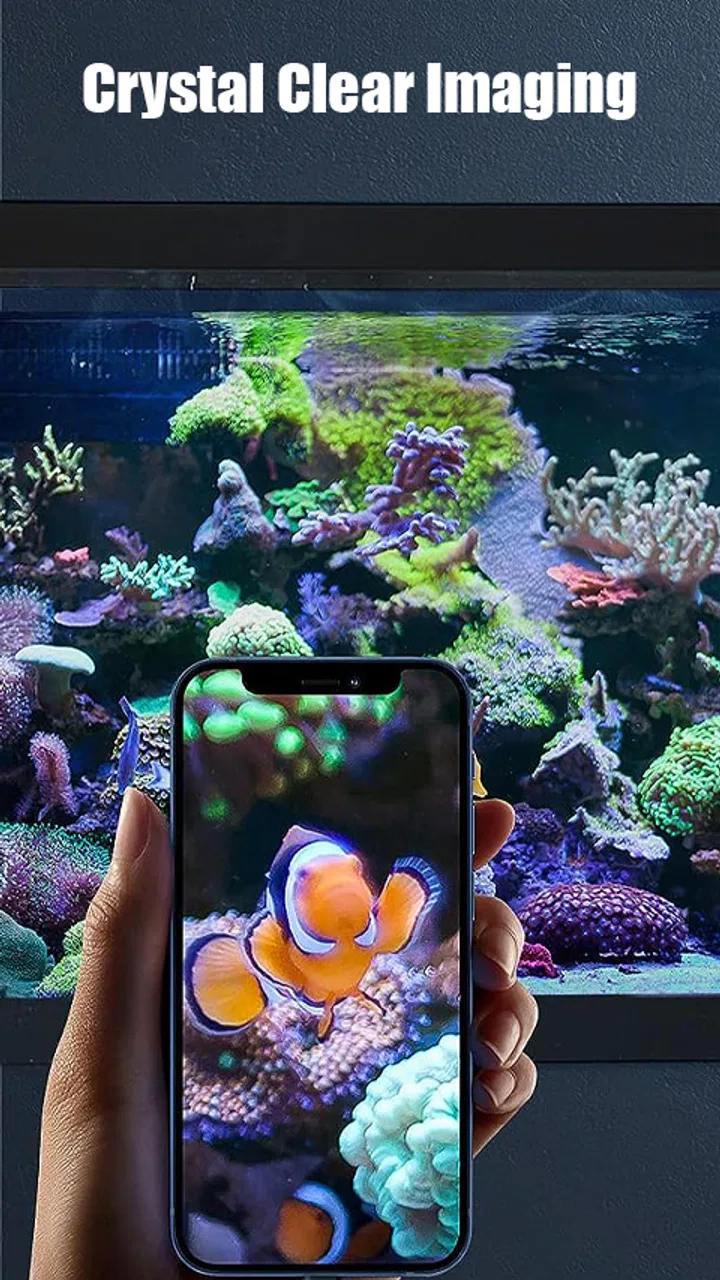
- Clear and high-resolution imaging capabilities.
- Compatible with most Android and iOS devices.
- Lightweight and portable for easy handling.
- Affordable price for high-tech features.
Cons
- Requires additional app installation to function.
- Limited battery life can be inconvenient.
- May experience connectivity issues occasionally.
- Not all devices support full app features.
- Image quality varies with lighting conditions.

Endoscope Camera
Gallery